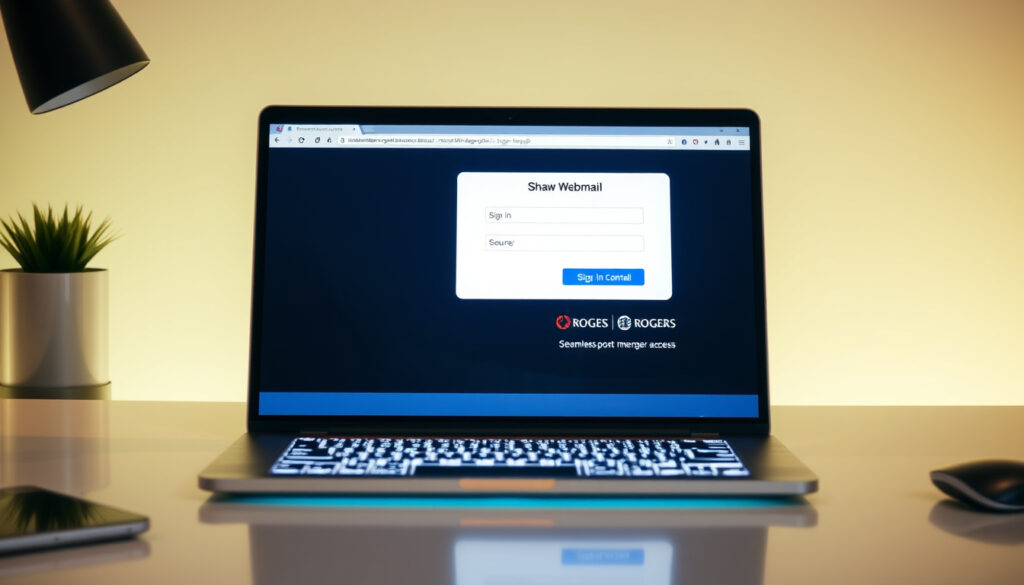
Shaw Webmail Sign In: Complete Post-Merger Access Guide
Since the Rogers merger, signing into Shaw webmail has become a different process — but your @shaw.ca account still works. Getting back in is straightforward once you know where to go.
Official Login URL: webmail.shaw.ca ·
Provider Post-Merger: Rogers ·
Mobile Access: Browser to webmail.shaw.ca ·
Common Fix: Clear browser cache
Quick snapshot
- Go to webmail.shaw.ca and enter your @shaw.ca email and password (Rogers Support: Shaw Webmail FAQs)
- Clear browser cache if login fails — this resolves most access issues (Rogers Support: Shaw Webmail Troubleshooting Tips)
- Login credentials work the same after the Rogers integration (Rogers Support)
- Open any browser on your phone and visit webmail.shaw.ca (Rogers Support: Shaw Webmail FAQs)
- No dedicated mobile app needed — the webmail interface adapts to mobile screens (Rogers Support)
- Use the MyRogers (Shaw) app for account management, not for reading email (Rogers Support)
- For “Invalid credentials” or HTTP ERROR 400, reset your password via MyRogers > Manage Internet > Email Accounts (Rogers Support: Common Shaw Email Issues)
- If the new email window won’t open, disable pop-up blockers or hold CTRL while clicking New (Rogers Support: Shaw Webmail Troubleshooting Tips)
- Bounce-back spam from your account signals a possible hack — change your password immediately (Rogers Support)
- No confirmed end date exists for Shaw webmail — the service remains active (Rogers Support: Shaw Webmail FAQs)
- Future discontinuation plans have not been officially announced by Rogers (Rogers Support)
| Detail | Value |
|---|---|
| Login Page | webmail.shaw.ca |
| Parent Company | Rogers |
| Mobile Guide URL | Rogers Support mobile guide |
| Common Issue Fix | Clear browser cache and cookies |
How do I access Shaw webmail?
Accessing Shaw webmail requires navigating to the correct URL and using your existing @shaw.ca credentials. Since the Rogers-Shaw merger, the sign-in page carries the “Rogers together with Shaw” branding, but your login information stays the same.
Steps for desktop login
- Open your browser and go to webmail.shaw.ca (Rogers Support: Shaw Webmail FAQs)
- Enter your full @shaw.ca email address in the username field
- Type your password and click Sign In
- If login fails, clear your browser cache and cookies, then try again (Rogers Support: Shaw Webmail Troubleshooting Tips)
Mobile browser access
Shaw webmail works on mobile browsers without needing a dedicated app. You can create up to 10 email addresses via the MyRogers (Shaw) account or mobile app, and all of them are accessible through the same webmail interface.
- Open Safari, Chrome, or your preferred mobile browser
- Navigate to webmail.shaw.ca (Rogers Support: Shaw Webmail FAQs)
- Sign in with your @shaw.ca credentials
- The interface adapts to your screen size automatically
Password recovery
If you’ve forgotten your password, the recovery process goes through the MyRogers (Shaw) portal. Navigate to Manage Internet > Email Accounts to update your Shaw email password post-merger (Rogers Support: Common Shaw Email Issues).
Your existing @shaw.ca credentials work at webmail.shaw.ca — no new account needed after the merger. If “Invalid credentials” or “HTTP ERROR 400” keeps appearing, a password reset through MyRogers is the fix.
What is the difference between Shaw email and Shaw webmail?
Understanding the distinction helps you navigate support resources correctly. Shaw email is the overall service, while Shaw webmail specifically refers to accessing that service through a browser.
Shaw email service overview
Shaw email is the email service provided to Shaw Communications customers, allowing you to send and receive messages using @shaw.ca addresses. After the Rogers merger, the service is managed under the Rogers umbrella, but the underlying technology and addresses remain unchanged.
Webmail interface details
Shaw webmail is the browser-based interface for accessing your Shaw email. You can customize the appearance via Preferences > General > Appearance, manage contacts through Contacts > Select > Edit, and configure read receipts via Preferences > Mail > Receiving Messages (Rogers Support: Shaw Webmail FAQs).
When contacting support, knowing whether you need help with the email service itself or the webmail interface determines which troubleshooting path to follow. Both are managed by Rogers, but the issue resolution steps differ.
Does Rogers have webmail?
Rogers does not offer a separate Rogers-branded webmail service for former Shaw customers. Instead, Shaw webmail continues to operate at its original address, now under Rogers management.
Rogers access to Shaw webmail
Rogers acquired Shaw and integrated the email service into its support infrastructure. All Shaw email accounts are now accessible through webmail.shaw.ca, and account management happens through the MyRogers (Shaw) portal (Rogers Support).
Shaw Webmail under Rogers
The Shaw webmail sign-in page now carries the “Rogers together with Shaw” branding, signaling the post-merger integration. Features like HTML email signatures, import/export (Preferences > Import/Export), and contact management remain functional (Rogers Support: Shaw Webmail Troubleshooting Tips).
Is Shaw ending webmail?
Concerns about Shaw webmail discontinuation stem from the merger uncertainty, but official sources confirm the service remains active. No shutdown date has been announced.
Current status
Shaw webmail is operational and fully supported by Rogers. The service continues to be maintained, with updates including a change to spam handling: custom spam preferences are no longer supported, and the system defaults to “Label as SPAM and send to Junk” (Rogers Support: Common Shaw Email Issues).
Discontinuation rumors
Rumors about service discontinuation circulate in forums, but no official announcement from Rogers confirms an end date. The Shaw Webmail sign-in page and support documentation continue to be actively maintained, suggesting ongoing service availability.
If you receive emails claiming Shaw email is being discontinued today, verify through official Rogers support pages. Unofficial claims lack confirmation from tier-1 sources.
What app to use for Shaw email?
Unlike some email providers, Shaw does not offer a standalone native app for reading your email. Account management happens through the MyRogers (Shaw) app, while email access relies on the mobile browser.
MyRogers (Shaw) app
The MyRogers (Shaw) app is available on Google Play and handles account management tasks like updating your password, viewing your internet plan, and managing up to 10 email addresses. It does not provide an inbox view for reading emails.
Email client setup
If you prefer a desktop email client over the browser interface, you can configure it using Shaw’s IMAP/SMTP settings. However, the webmail interface at webmail.shaw.ca supports all core email functions including sending, receiving, contacts, and signatures.
How to sign in to Shaw webmail: Step-by-step guide
Follow these steps to access your Shaw email from any device with a browser.
- Open your browser — Chrome, Safari, Edge, Firefox, or any modern browser works.
- Go to webmail.shaw.ca — This is the official Shaw webmail sign-in page.
- Enter your @shaw.ca email address — Use the full address, including the @shaw.ca domain.
- Enter your password — Your existing Shaw password still works post-merger.
- Click Sign In — If the new email window doesn’t open, disable pop-up blockers or hold CTRL while clicking New (Rogers Support: Shaw Webmail Troubleshooting Tips).
- If login fails, clear your browser cache and cookies — Then return to step 2.
- For persistent issues, reset your password — Via MyRogers (Shaw) > Manage Internet > Email Accounts (Rogers Support: Common Shaw Email Issues).
Troubleshooting Shaw webmail login issues
Login failures fall into a few predictable categories, each with a specific solution.
Browser-related fixes
- Clear cache and cookies — This resolves the majority of login failures (Rogers Support: Shaw Webmail Troubleshooting Tips)
- Try incognito or private browsing mode — Eliminates extensions or saved data interfering with login
- Use Google Chrome — Shaw Direct recommends Chrome if the “Verify Account” button is missing in other browsers (Shaw Direct Support: Shaw ID Login Issues)
Account-related fixes
- Reset password via MyRogers — Navigate to Manage Internet > Email Accounts (Rogers Support: Common Shaw Email Issues)
- Check for spam flags — “Invalid credentials” errors can sometimes indicate your account has been flagged for spam activity
- Verify your Shaw ID — For Shaw Direct-related logins, use Forgot Password to refresh account credentials (Shaw Direct Support: Shaw ID Login Issues)
Security concerns
Bounce-back spam — emails returning to senders as undeliverable — indicates your account may be compromised. Change your password immediately and run a full virus scan on your devices (Rogers Support: Common Shaw Email Issues). Strong passwords prevent most unauthorized access issues.
Browser-based access means no native app convenience, but it also means no app updates to manage and no storage space taken on your device. For most users, the trade-off is worthwhile — you get the same functionality from any device worldwide.
Shaw email sending limits and blocking issues
Business users and heavy senders need to understand Shaw’s outbound email policies to avoid delivery issues.
Outbound restrictions
Rogers/Shaw accounts are limited to 100 recipients per message. Attempts to send to larger distributions trigger bounce-backs or account blocks (Shaw Business Support: Troubleshooting Email Blocking).
Email blocking triggers
- Website URLs in email content can trigger spam filters
- Attachments flagged by filters cause blocks
- Improper signatures with excessive links
- Using Rogers outbound settings for non-Rogers accounts — do not share outbound settings between account types (Shaw Business Support)
Reputation resets
If your sending reputation is damaged, reputation resets are not approved within 90 days of the last reset approval (Shaw Business Support: Troubleshooting Email Blocking). Rogers handles reputation only for @shaw.ca or Shaw-hosted emails — external providers like Gmail require separate resolution.
High-volume senders should use dedicated email marketing services like MailChimp for compliance with CASL (Canadian Anti-Spam Law). Shaw’s built-in limits work for standard personal use but not for bulk commercial sending.
Confirmed facts and clarifications
Here’s what we know for certain about Shaw webmail status and functionality.
- Shaw webmail is active at webmail.shaw.ca (Rogers Support)
- Login credentials remain the same post-merger
- Rogers manages Shaw email through the MyRogers (Shaw) portal
- You can create up to 10 email addresses per account (Rogers Support)
- Spam preferences default to “Label as SPAM and send to Junk” — custom filters no longer supported (Rogers Support)
- Outbound sending is limited to 100 recipients per message (Shaw Business Support)
What’s still unclear
- Specific timeline for any future service changes post-merger
- Whether a dedicated mobile email app will be developed
- Exact regional variations in service delivery across Canadian provinces
“We’re updating how spam is handled in your Shaw email. This change is permanent.”
— Rogers Support (Official Support Team)
“Repeat requests will not be approved within 90 days of the last reset approval.”
— Shaw Business Support (Official Support Team)
Summary
The Rogers-Shaw merger changed the branding but not the core functionality of your @shaw.ca email. Your login credentials still work at webmail.shaw.ca, and account management happens through the MyRogers (Shaw) portal. For most users, clearing the browser cache resolves login failures, while persistent issues require a password reset through account settings. The service remains active with no announced discontinuation, though outbound email limits and spam handling policies have been updated. For Shaw email users in Canada, the path forward is clear: use the webmail interface for reading and sending, manage your account through MyRogers, and keep your password strong to avoid security issues.
Related reading: Manitoba Blue Cross Login – Secure Member Portal Guide · SAAQ Pointe-aux-Trembles – Address, Hours, Services Guide
Frequently asked questions
Why can’t I get into MyRogers email account?
MyRogers manages account settings, not email reading. To reset your Shaw email password, go to MyRogers (Shaw) > Manage Internet > Email Accounts. If login to MyRogers itself fails, use the Forgot Password option on the sign-in page.
Can I still use my Shaw email?
Yes. Shaw email remains active and accessible via webmail.shaw.ca. The Rogers-Shaw merger integrated services but did not discontinue the email platform.
Why am I suddenly not getting my emails?
Check your internet connection first, then clear your browser cache. Gmail may filter @shaw.ca emails as spam — mark the sender as safe in your Gmail settings. If emails continue missing, check your spam folder where Shaw now defaults to “Label as SPAM and send to Junk.”
Why am I not receiving emails?
Ensure your inbox isn’t full, check the spam/junk folder, and verify the sender has your correct @shaw.ca address. If using Gmail, add the sender to your contacts to prevent filtering. For persistent issues, contact Rogers support.
What app to use for Shaw email?
There is no dedicated Shaw email reading app. Use webmail.shaw.ca in any mobile browser. The MyRogers (Shaw) app handles account management (password changes, plan viewing) but not email reading.
Is Shaw email being discontinued today?
No. Official Rogers support pages confirm Shaw webmail remains active. No discontinuation date has been announced. If you encounter claims otherwise, verify through official Rogers support.
Does Rogers have webmail?
Rogers does not offer a separate Rogers-branded webmail service. Shaw webmail continues under Rogers management at webmail.shaw.ca, carrying the “Rogers together with Shaw” branding.
More related posts
 Medela Pump in Style: Reviews, Comparisons & Guide
 Cinéma Carrefour du Nord: Showtimes, Prices, Saint-Jérôme
 Security National Insurance Company – Ratings, Complaints and Stability
 Best Movies on Prime – Top Rated April 2026
 1/2 Cup to Grams – Accurate Conversions for Flour, Butter, Sugar
 Ali Larter: Family, Career, Net Worth, and Rumors Explained
 What Happens After Death – Science, Religion and Evidence
 Ali Larter: Biography, Children, Net Worth, and Career Highlights
